

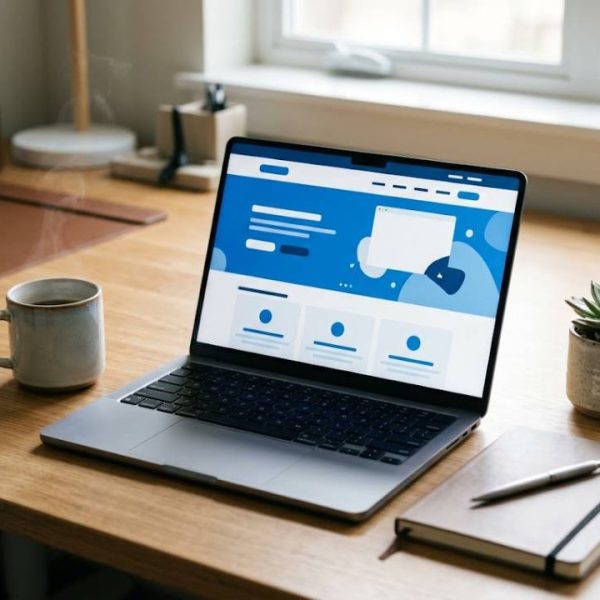
WordPress powers a large share of the web, and for good reason. It is flexible, affordable and friendly to beginners. With a clear plan you can build a professional looking website without writing code. This step by step guide shows how to go from an empty domain to a working site.
Define the Purpose of Your Site
Decide whether you need a blog, a business page or an online shop. A clear purpose guides your theme, plugins and content from the beginning.
Choose a Reliable Host
Look for fast servers, regular backups and helpful support. A good host keeps your site online and protects it from common problems.
Pick a Domain Name That Fits
Short, memorable names are easiest to share. Avoid complicated spellings and check that social media names are also available.
Install WordPress Safely
Most hosts offer one click installation. After setup, change the default username, use a strong password and enable updates.
Understand the Dashboard
The dashboard is the control room of your site. Spend a few minutes learning where posts, pages, media, themes and settings live.
Choose a Lightweight Theme
A simple, fast theme is easier to customise and better for search engines. Check mobile layout, update history and reviews before installing.
Customise Colours and Fonts
Use two or three colours and one or two readable fonts. Consistent styling gives your site a professional feel at once.
Build the Core Pages
Start with a home page, an about page, a contact page and one page for each main service. Keep text short and make the next step obvious.
Set Up Menus and Navigation
Menus should be short and logical. Visitors should find any important page within two clicks.
Install Only Plugins You Need
Each plugin adds code and potential risk. Choose well maintained plugins for security, backups, forms and SEO, and remove anything unused. The WordPress documentation explains how plugins work.
Protect Your Site From Attacks
Use updates, strong passwords, limited login attempts and regular backups. A little prevention avoids a lot of stress later.
Back Up Regularly
Schedule automatic backups and store copies away from your server. Test restoring a backup once to be sure it works.
Make Your Site Mobile Friendly
Most visitors browse on phones. Preview every page on a small screen and check that buttons and text are easy to use.
Improve Page Speed
Compress images, use caching and avoid heavy sliders. Faster pages keep visitors and help search rankings.
Learn Basic SEO
Write clear titles and descriptions, use headings and add alt text to images. Helpful content matters more than tricks.
Create a Multilingual Site
Many site owners serve visitors in several languages. A english to dutch translation of key pages can help you reach readers in the Netherlands and Belgium.
Review Translated Content Carefully
Automatic output needs careful checking. Learning about post editing strategy shows how teams review and improve translated text before publishing.
Add Contact Forms and Email
Use a simple form plugin and test it after each update. Make sure messages arrive in an inbox you check regularly.
Add Analytics Responsibly
Track visits to learn which pages work. Respect privacy rules and explain what you collect in a short notice.
Write Useful Blog Posts
Answer real questions your visitors ask. Regular, helpful posts build trust and bring traffic over time.
Use Images With Care
Choose clear, relevant images and compress them before upload. Add short descriptions so everyone can understand them.
Keep Accessibility in Mind
Use readable fonts, good contrast and descriptive link text. Accessible sites serve more people and often rank better.
Test Before Launch
Click every link, submit every form and check pages on different devices. A short test prevents embarrassing mistakes.
Announce Your Site
Share the launch with friends, colleagues and customers. Ask for honest feedback and fix issues quickly.
Update Weekly
Check for updates to WordPress, your theme and plugins once a week. Regular maintenance keeps the site secure and stable.
Plan Future Improvements
Keep a simple list of ideas such as new pages, features or designs. Improve one thing at a time and measure the effect.
Choose a Child Theme for Edits
If you change theme code, use a child theme so updates never erase your work. This small step saves hours of repair later.
Keep Your Media Library Tidy
Name files clearly and delete unused images. A tidy library makes pages easier to build and keeps storage costs low.
Use Staging for Big Changes
Test redesigns on a copy of your site before applying them to the live version. Mistakes then stay private and easy to fix.
Learn From the Community
Forums, local meetups and tutorials help you solve problems faster. Ask clear questions and share what you learn.
Final Thoughts
Building a WordPress site is mostly a series of small, sensible decisions. Start simple, protect what you build and improve it step by step. In a few weeks you can have a site you are proud to share.
Recent Posts

Équipe web en Roumanie, bien ...

Dateien im Team verwalten, so ...
Speeding Up WordPress and Impr...

How to Build a Multilingual Wo...
How WordPress Freelancers Can ...
Come Tradurre un Sito WordPres...
Share it.

Links
We use cookies
We use cookies to give you the best online experience, remember your preferences, and understand how the site is used. You can accept all cookies, reject optional ones, or choose which categories to allow.
Privacy PolicyCookie preferences
Choose which cookies we can use. Necessary cookies stay on because the site cannot work without them.
For more details, read our Privacy Policy.